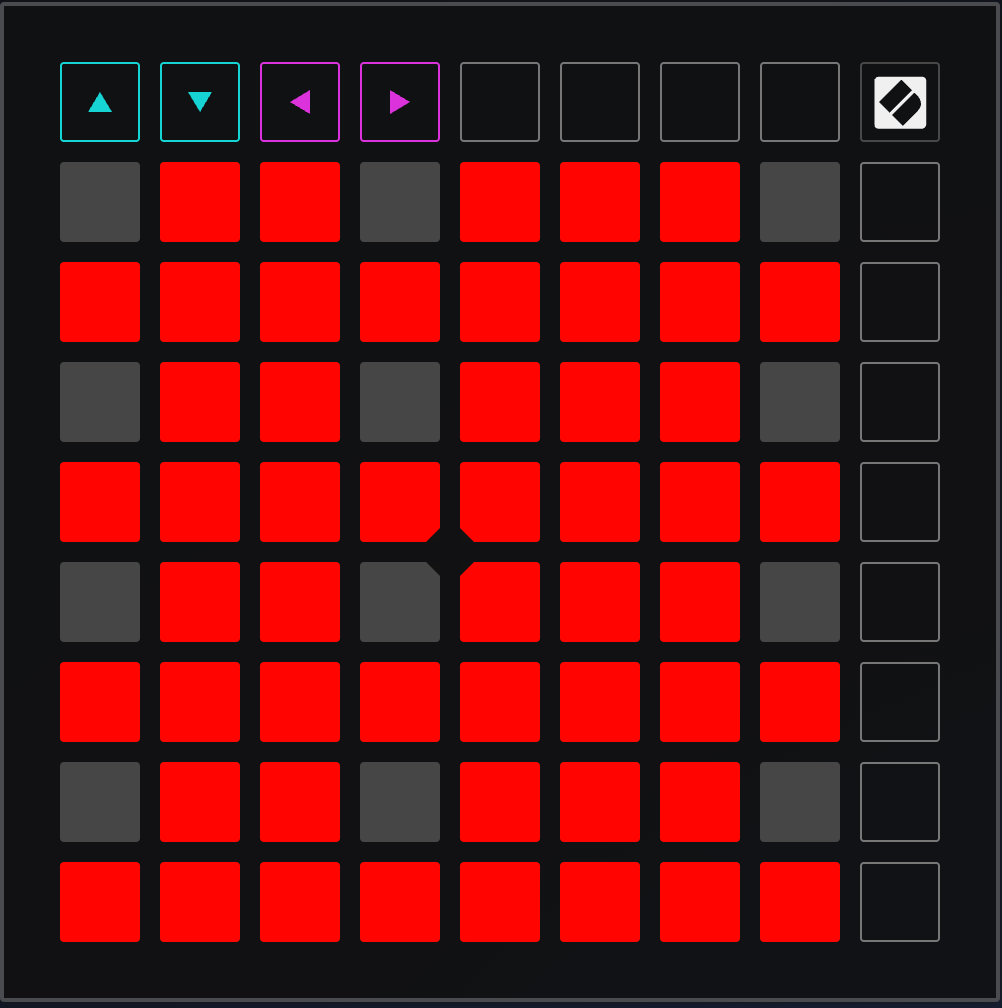
Serialismo turns a Novation Launchpad X into a pitch-class–aware twelve-tone keyboard.
It enforces Schoenberg-style serial constraints: each pitch class can be used only once until all 12 have appeared.
LEDs provide immediate visual feedback (by changing colour).
serialismo.py— Python scriptSerialismo_LPX.syx— Launchpad X custom mode (four-octave chromatic layout, LED-ready)README.md— this file
You can download it from Gumroad.
Features
- First time a pitch class is played → note is forwarded to the DAW
- All octaves of that pitch class instantly turn off
- Repeating that pitch class → blocked (silent)
- After all 12 pitch classes used → automatic reset
- LED logic fully controlled by Python (the colour chages when the note is used)
Compatible with any DAW; tested with Logic Pro.
Works with the Launchpad X in a Custom Mode designed for external LED feedback.
Requirements
- macOS
- Python 3
- Novation Launchpad X
- A DAW (Logic Pro, Ableton Live, etc.)
- Python packages:
pip3 install mido python-rtmidi
You must also enable the macOS IAC Driver to create a virtual MIDI port.
Setup
1. Enable the macOS IAC Driver
- Open Audio MIDI Setup
- Menu → Window → Show MIDI Studio
- Double-click IAC Driver
- Check Device is online
- Add one port, e.g., SerialBus
Your DAW will receive notes from this virtual port.
2. Load the Launchpad Custom Mode
Use Novation Components to load:
Serialismo_LPX.syx
This mode provides:
- A four-octave chromatic layout
- Clean LED behaviour (no factory colour scheme)
- Fully external LED feedback
Then on the Launchpad:
- Press Custom
- Select the slot where you stored the mode
3. Set Launchpad LED Feedback
On the Launchpad:
- Hold Session (to enter settings)
- Go to the LED page
- Set:
- Internal LED feedback → OFF
- External LED feedback → ON
This lets Python completely control the colours.
4. DAW Configuration (Logic Example)
- Logic Pro → Settings → MIDI → Inputs
- Enable: IAC Driver Bus 1
- Disable: Launchpad X (optional, avoids duplicated input)
- On your track:
- Set MIDI Input to IAC Driver Bus 1
Running Serialismo
From Terminal:
python3 serialismo.py
You should see messages like:
Using Launchpad IN  : Launchpad X LPX MIDI Out
Using Launchpad OUT : Launchpad X LPX MIDI In
Using DAW OUT       : IAC Driver Bus 1
At this point:
- All notes in the configured MIDI range light green
- First press of a pitch class → forwarded + that class turns off
- Repressing → blocked
- When all 12 pitch classes used → full reset → all green again
Configuration
Inside serialismo.py you can change:
Note Range
If you want the full Launchpad:
LOW_NOTE = 1
HIGH_NOTE = 127
LED Colours
LED_AVAILABLE = 60   # bright green
LED_OFF       = 0    # off
MIDI Routing
The script auto-detects Launchpad X ports using substrings:
"LPX MIDI Out"
"LPX MIDI In"
"IAC Driver"
You can edit these if your system uses different names.
Testing Note Numbers
To identify any pad’s note number:
python3 - << 'EOF'
import mido
name = [n for n in mido.get_input_names() if "LPX MIDI Out" in n][0]
print("Listening on:", name)
with mido.open_input(name) as inp:
    for msg in inp:
        if msg.type == "note_on" and msg.velocity > 0:
            print("Note:", msg.note)
EOF
Stopping
Press Ctrl-C in Terminal.
The script turns all LEDs off before exiting.
